

I’ve been building a personal operating system called BusuttilIO. It’s a web app for my software projects, electronics, 3D printing, ferments, health and the everyday admin around them. A fairly accurate picture of the things competing for my attention.
I like having somewhere to put the stuff around a project. What needs fixing, which revision I printed, whether I already own the component I’m about to buy. Building the thing is one job. Keeping track of it all seems to be another hobby entirely.
BusuttilIO is a private app I use myself, and I keep adding to it as I need things. I thought I’d share a bit of what’s in there. The screenshots use made-up records in the real app components, so my personal information can stay personal.
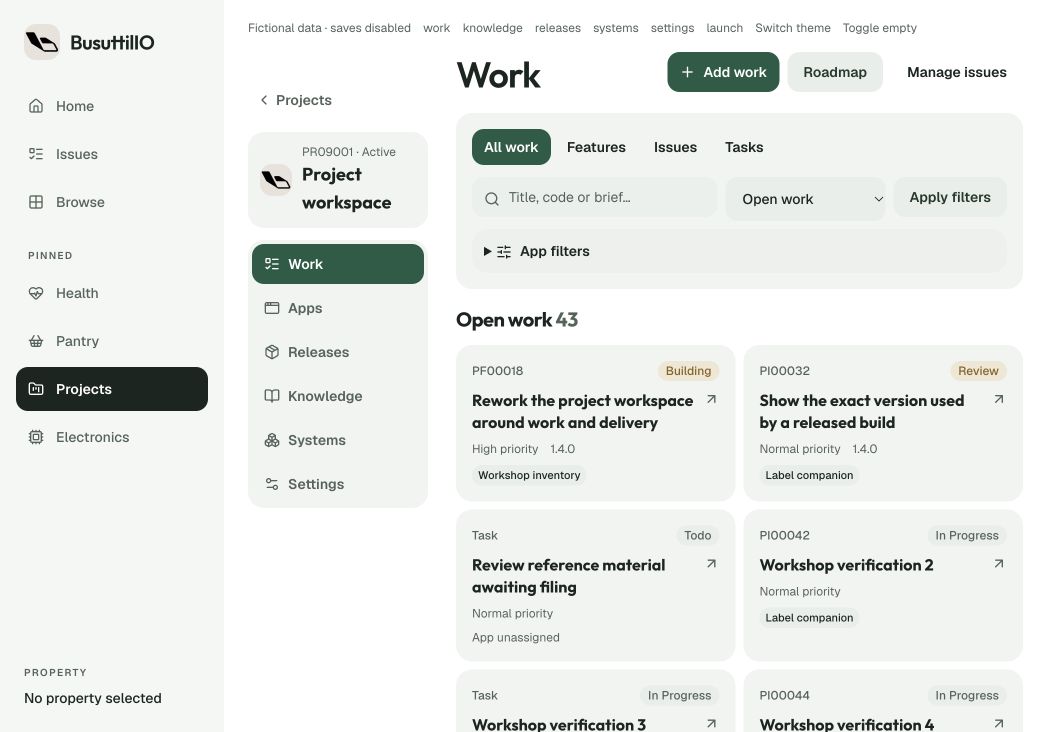
The issue tracker now talks to Codex
This is the bit I’m particularly pleased with. I’ve built an MCP server, which gives Codex tools to read and update the work I keep in BusuttilIO.
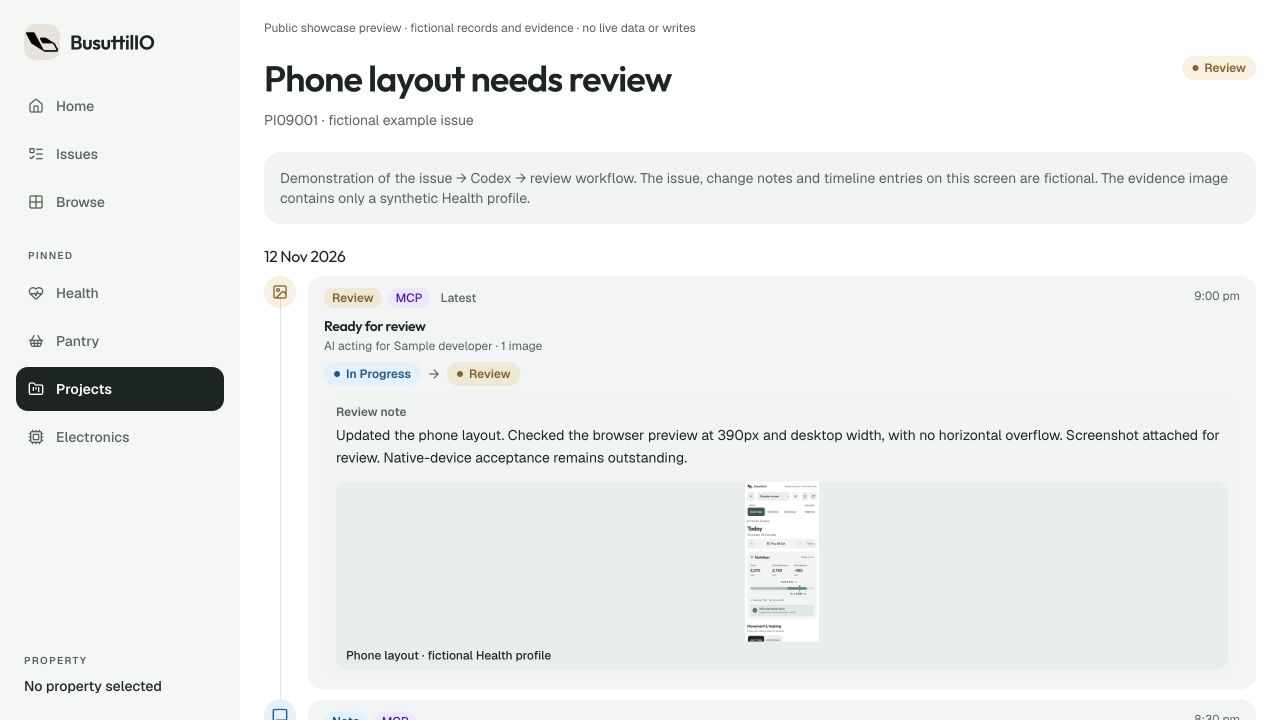
Say I find a layout bug in one of my apps. The app can collect the report in its own popup, including what went wrong and where I was when it happened. Once it’s submitted to BusuttilIO, I can choose that issue for Codex to work on.
Codex can read the report, earlier notes and the project’s linked repository. It works on the code in the app’s checkout and runs the relevant checks. Then it can write back to the same issue with what changed, what it tested and anything that still needs attention.
It can also attach screenshots of the result and move the issue to Review, with the note and images together. That’s the part I really wanted: being able to open an issue and see the work that came back from it.
I still check the result. Sometimes it needs another pass, more testing or a deployment before I’m happy to call it finished. Having the notes and evidence on the issue gives me somewhere to pick that up, without digging through old chats to remember what happened.
The same MCP connection works across the app projects I have access to. Each repository points to its project, so the fix and follow-up stay with the original issue. MCP is the Model Context Protocol; in this case it’s the connection between my issue tracker and the coding tools.
There’s hardware in there too
The electronics inventory keeps track of parts, quantities and where I’ve put them. It connects to barcode and QR labels, which is probably a clue that I’ve gone fairly deep into organising components.
PCB Studio connects that inventory to my KiCad work. It keeps board revisions, source snapshots, bills of materials and build plans together. Linking a schematic component to an inventory part means I can work out what I have for a build and what I still need to order.
The 3D Vault does a similar job for models and printing. Parts have revisions, files and print records. There’s somewhere to leave the useful details for the next attempt: which file I used, the material and settings, and whether the thing actually fitted.
Health is another area I’ve been adding to. Garmin activity, daily measurements, history and running plans live there, along with other health admin. I’m keeping the actual readings out of the screenshots.
Ferments, coffee and the rest of it
There’s also my ferment tracker, which has turned into quite a bit of app in its own right. I can keep recipes and versions, start batches, track the jars and their locations, and log checks, photos and tasting notes. It covers things like pickles, kimchi, fermented hot sauce, kombucha and vinegar.
The batches have stages and reminders, so I can see where things are up to and what needs checking. I want to be able to look back at something that turned out well and know what I actually did. Alongside it are sourdough and cold brew tools, pantry stock and vessel tracking. Yes, the jars have records too.
There are documents and notes, an inbox for imported files, reading lists and travel planning. The travel area keeps trip and booking records together. Elsewhere there’s household inventory, vehicle and finance records, plus notes about my network and the services I run.
That’s why “personal operating system” feels like the right description. It gives all these different bits of my life somewhere to go. Some are small tools; others, like the project workspace and fermentation area, have become fairly substantial projects themselves.
What it’s built with
Most of it is a Next.js app, using React and TypeScript, with Tailwind and Radix UI. Data and sign-in sit on self-hosted Supabase and PostgreSQL. I run it on my own Proxmox setup.
The iPhone app uses Capacitor to load the same web interface, with Swift and UIKit handling the native shell and device features. There’s also a SwiftUI and WidgetKit extension for Garmin metric widgets.
Some bits are further along than others, and I’m still changing things as I use them. I’ve put a longer look inside BusuttilIO on the personal projects page, with more screenshots and detail about the individual tools.