

Weekend Coding Projects: Build Amazing Things Faster with CodeShelf
Got a free weekend and the urge to code something awesome? Whether you’re a hobby developer, student, or professional looking for a fun side project, this guide will show you how to maximize your weekend coding time with smart snippet management.
The Challenge: Weekend projects have tight time constraints. You need to move from idea to working prototype quickly, without getting bogged down in boilerplate code.
The Solution: CodeShelf snippet manager helps you skip the tedious setup and focus on the fun, creative parts of coding.
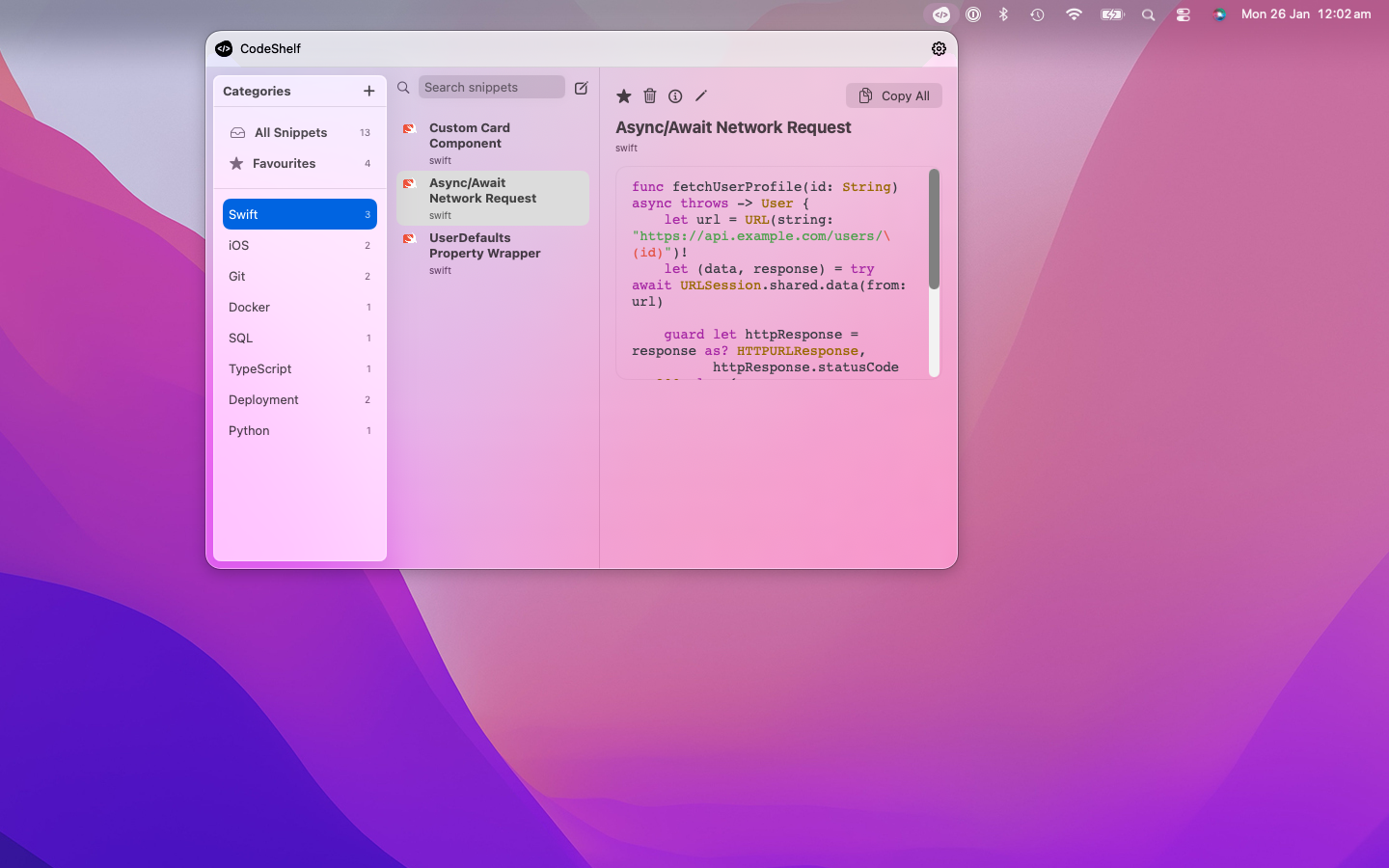
Organize your weekend project snippets by framework, component type, or project phase
Why Weekend Projects Matter
For Hobby Developers
- Learn by doing real projects, not tutorials
- Build a portfolio of completed projects
- Experience the joy of shipping something that works
- Experiment freely without workplace constraints
For Learning Developers
- Apply classroom knowledge to real problems
- Discover new technologies through hands-on use
- Build confidence by completing projects
- Create talking points for job interviews
For Experienced Developers
- Try new frameworks without work pressure
- Scratch your own itches with custom tools
- Contribute to open source with focused effort
- Maintain coding skills outside of work
The Weekend Project Workflow
Saturday Morning: Planning & Setup (30 minutes)
- Choose your project (have 2-3 ideas ready)
- Set up your environment (editor, dependencies)
- Create project structure
- Load essential snippets into CodeShelf
Saturday: Core Development (6-8 hours)
- Build the foundation using templates
- Implement core features with reusable snippets
- Test as you go with debugging snippets
Sunday: Polish & Deploy (3-4 hours)
- Add styling with CSS snippet library
- Deploy to hosting using deployment snippets
- Document your work with README templates
Essential CodeShelf Snippets for Weekend Projects
Project Kickstarters
HTML5 Starter Template
<!DOCTYPE html><html lang="en"><head> <meta charset="UTF-8"> <meta name="viewport" content="width=device-width, initial-scale=1.0"> <title>Weekend Project</title> <link rel="stylesheet" href="style.css"></head><body> <header> <h1>My Weekend Project</h1> </header>
<main> <!-- Your content here --> </main>
<footer> <p>© 2026 Your Name</p> </footer>
<script src="script.js"></script></body></html>Save as: “html-starter”
CSS Reset & Base Styles
/* CSS Reset */* {    margin: 0;    padding: 0;    box-sizing: border-box;}
body {    font-family: 'Arial', sans-serif;    line-height: 1.6;    color: #333;    background: #f4f4f4;}
.container {    max-width: 1200px;    margin: 0 auto;    padding: 0 20px;}
/* Flexbox utilities */.flex {    display: flex;}
.flex-center {    display: flex;    justify-content: center;    align-items: center;}
.flex-between {    display: flex;    justify-content: space-between;    align-items: center;}
Save as: “css-base”
JavaScript Project Setup
// DOM Content Loadeddocument.addEventListener('DOMContentLoaded', function() {    console.log('Weekend project loaded!');    init();});
// Main initialization functionfunction init() {    setupEventListeners();    loadInitialData();}
// Event listener setupfunction setupEventListeners() {    // Add your event listeners here}
// Initial data loadingfunction loadInitialData() {    // Load any initial data needed}
// Utility functionsfunction $(selector) {    return document.querySelector(selector);}
function $$(selector) {    return document.querySelectorAll(selector);}
Save as: “js-project-setup”
API & Data Handling
Fetch API Template
// GET requestasync function fetchData(url) {    try {        const response = await fetch(url);        if (!response.ok) {            throw new Error(`HTTP error! status: ${response.status}`);        }        const data = await response.json();        return data;    } catch (error) {        console.error('Fetch error:', error);        return null;    }}
// POST requestasync function postData(url, data) {    try {        const response = await fetch(url, {            method: 'POST',            headers: {                'Content-Type': 'application/json',            },            body: JSON.stringify(data)        });        return await response.json();    } catch (error) {        console.error('Post error:', error);        return null;    }}
Save as: “fetch-api”
Local Storage Helpers
// Local Storage utilitiesconst Storage = {    set: function(key, value) {        localStorage.setItem(key, JSON.stringify(value));    },
    get: function(key) {        const item = localStorage.getItem(key);        return item ? JSON.parse(item) : null;    },
    remove: function(key) {        localStorage.removeItem(key);    },
    clear: function() {        localStorage.clear();    }};
Save as: “localstorage”
UI Components
Modal Dialog
<!-- HTML --><div id="modal" class="modal"> <div class="modal-content"> <span class="close">×</span> <h2 id="modal-title">Modal Title</h2> <p id="modal-body">Modal content goes here.</p> </div></div>/* CSS */.modal { display: none; position: fixed; z-index: 1000; left: 0; top: 0; width: 100%; height: 100%; background-color: rgba(0,0,0,0.4);}
.modal-content { background-color: #fefefe; margin: 15% auto; padding: 20px; border: 1px solid #888; width: 80%; max-width: 500px; border-radius: 8px;}
.close { color: #aaa; float: right; font-size: 28px; font-weight: bold; cursor: pointer;}
.close:hover { color: black;}// JavaScriptfunction showModal(title, content) { document.getElementById('modal-title').textContent = title; document.getElementById('modal-body').textContent = content; document.getElementById('modal').style.display = 'block';}
function hideModal() { document.getElementById('modal').style.display = 'none';}
// Event listenersdocument.querySelector('.close').onclick = hideModal;window.onclick = function(event) { const modal = document.getElementById('modal'); if (event.target == modal) { hideModal(); }}Save as: “modal-component”
10 Perfect Weekend Project Ideas
1. Personal Dashboard ⏱️ 4-6 hours
Build a personal dashboard with weather, news, and your favorite APIs.
Key Snippets Needed:
- API fetch templates
- Grid layout CSS
- Weather widget component
- Local storage for settings
Skills Learned: API integration, responsive design, data visualization
2. To-Do List with Twist ⏱️ 3-5 hours
Create a unique to-do app with features like time tracking or gamification.
Key Snippets Needed:
- CRUD operations
- Local storage
- Date/time utilities
- Animation CSS
Skills Learned: Data persistence, user interactions, time management
3. Random Quote Generator ⏱️ 2-4 hours
Build a beautiful quote generator with categories and sharing features.
Key Snippets Needed:
- API templates
- Random number generators
- Social sharing buttons
- Typography CSS
Skills Learned: API consumption, social integration, design principles
4. Expense Tracker ⏱️ 5-7 hours
Create a simple expense tracking app with charts and categories.
Key Snippets Needed:
- Form handling
- Data visualization
- Calculator functions
- Chart.js integration
Skills Learned: Data management, visualization, form validation
5. Pomodoro Timer ⏱️ 3-4 hours
Build a customizable Pomodoro timer with sound notifications.
Key Snippets Needed:
- Timer functions
- Audio controls
- Settings storage
- Notification API
Skills Learned: Timers, notifications, audio handling, settings management
6. Color Palette Generator ⏱️ 2-3 hours
Create a tool that generates and saves color palettes for design work.
Key Snippets Needed:
- Color manipulation
- Copy to clipboard
- Grid layouts
- Export functions
Skills Learned: Color theory, clipboard API, design tools
7. Recipe Finder ⏱️ 4-6 hours
Build an app that finds recipes based on ingredients you have.
Key Snippets Needed:
- Search functionality
- API integration
- Card layouts
- Filtering logic
Skills Learned: Search algorithms, API usage, filtering data
8. GitHub Profile Viewer ⏱️ 3-5 hours
Create a better way to view GitHub profiles with enhanced visualizations.
Key Snippets Needed:
- GitHub API calls
- Data visualization
- Profile layouts
- Chart libraries
Skills Learned: GitHub API, data visualization, profile design
9. Memory Game ⏱️ 4-5 hours
Build a card matching memory game with different difficulty levels.
Key Snippets Needed:
- Game logic
- Animation CSS
- Score tracking
- Timer functions
Skills Learned: Game development, animations, state management
10. QR Code Generator ⏱️ 2-3 hours
Create a tool that generates QR codes for different types of content.
Key Snippets Needed:
- QR library integration
- Form handling
- Download functionality
- Input validation
Skills Learned: Third-party libraries, file generation, validation
Time-Saving CodeShelf Workflows
The “Quick Start” Collection
Create a CodeShelf folder with:
- Project setup templates
- Common CSS patterns
- JavaScript utilities
- Debugging helpers
The “Deployment” Collection
Save deployment snippets for:
- GitHub Pages setup
- Netlify configuration
- Environment variables
- Build scripts
The “Polish” Collection
Keep styling snippets for:
- Button components
- Loading animations
- Responsive layouts
- Color schemes
Real Weekend Project Success Stories
Maria’s Dashboard Project
“I wanted to build a personal dashboard but dreaded setting up all the boilerplate. CodeShelf had me up and running in 15 minutes instead of 2 hours. I spent the weekend building features, not configuring files.”
Time saved: 3+ hours
Result: Beautiful personal dashboard with weather, crypto prices, and calendar
Jake’s Game Development
“As a hobby game developer, I was tired of rewriting the same collision detection and scoring logic. CodeShelf snippets let me focus on game mechanics instead of basic setup.”
Time saved: 4+ hours
Result: Completed puzzle game with multiple levels
Sarah’s Learning Projects
“I’m learning React on weekends. CodeShelf snippets for components and hooks mean I can build complete projects instead of just following tutorials.”
Time saved: 2+ hours per project
Result: Portfolio of 8 completed React projects
Advanced Weekend Project Tips
1. Plan with Constraints
- Time limit: Set a hard stop time
- Feature limit: Max 3-5 core features
- Tech limit: Use familiar technologies
2. Use the 80/20 Rule
- 80% functionality with basic styling
- 20% polish only if time permits
- Focus on working over perfect
3. Document as You Go
- Quick README with screenshots
- Key learning points for future reference
- Deployment instructions for later
4. Share Your Work
- Twitter/LinkedIn with screenshots
- GitHub with good descriptions
- Dev community for feedback
Troubleshooting Weekend Projects
Common Time Wasters
❌ Perfectionist setup: Don’t spend hours on build tools
❌ Scope creep: Stick to your original plan
❌ Styling rabbit holes: Focus on functionality first
❌ New technology: Weekend isn’t time to learn frameworks
CodeShelf Solutions
✅ Quick setup: Use project starter templates
✅ Feature focus: Pre-built component snippets
✅ Basic styling: CSS utility snippet collections
✅ Familiar patterns: Stick to your proven snippet library
Building Your Weekend Project Snippet Library
Essential Categories
1. Project Starters (5 snippets)
- HTML5 template
- CSS reset
- JavaScript setup
- Package.json template
- README template
2. Components (10 snippets)
- Modal dialogs
- Loading spinners
- Button styles
- Form elements
- Navigation menus
3. Utilities (8 snippets)
- API fetch helpers
- Date formatters
- Validation functions
- Storage helpers
- Math utilities
4. Deployment (5 snippets)
- Build scripts
- Environment configs
- Hosting setups
- Git workflows
- Documentation templates
Next Weekend: Level Up Your Projects
Once you’ve completed a few weekend projects with CodeShelf:
- Build a snippet library from your successful projects
- Create project templates for different types of apps
- Share snippets with friends and online communities
- Document patterns that work well for rapid development
- Challenge yourself with slightly more complex projects
Conclusion: Make Every Weekend Count
Weekend coding projects should be fun, not frustrating. With CodeShelf snippets handling the boilerplate, you can focus on the creative, problem-solving aspects that make coding enjoyable.
Your next weekend project is just a download away:
- Get CodeShelf (free trial)
- Set up your essential snippets using this guide
- Pick a project from our list above
- Start building next weekend
Remember: The goal isn’t perfection - it’s progress, learning, and the satisfaction of building something with your own hands.
What will you build this weekend? Share your projects and CodeShelf snippets with the community using #WeekendCoding #CodeShelf.
Happy coding! 🚀