PCB labels, symbols and artwork. Made inside KiCad.
Stable 1.4.1 · KiCad 10 · Free and open source
Tested on macOS and Windows. Linux validation is still in progress. Add the stable repository through KiCad’s Plugin and Content Manager, or install the release PCM ZIP.
PCB labels, symbols and artwork. Made inside KiCad.
Create editable PCB labels, custom SVG symbols, connector legends, component callouts, QR codes and barcodes without leaving KiCad. Free and open source.
Kobee Studio began as a maintained evolution of KiBuzzard. I wanted the same editable approach for the other details that make a board easier to understand: connector legends, component callouts, clear warnings, QR codes and artwork that can still be revised later.
Kobee Studio started as a maintained evolution of KiBuzzard. It grew out of the next practical problems that appear after plain text: connector legends, component callouts, warning marks and useful board information that should stay easy to edit.
Labels, symbols and quick presets for common board markings
2.54 mm header overlays and component-aware callouts
QR codes, Code 128 barcodes and multilayer artwork
Kobee Studio, feature by feature
A closer look at the tools that make up the studio.
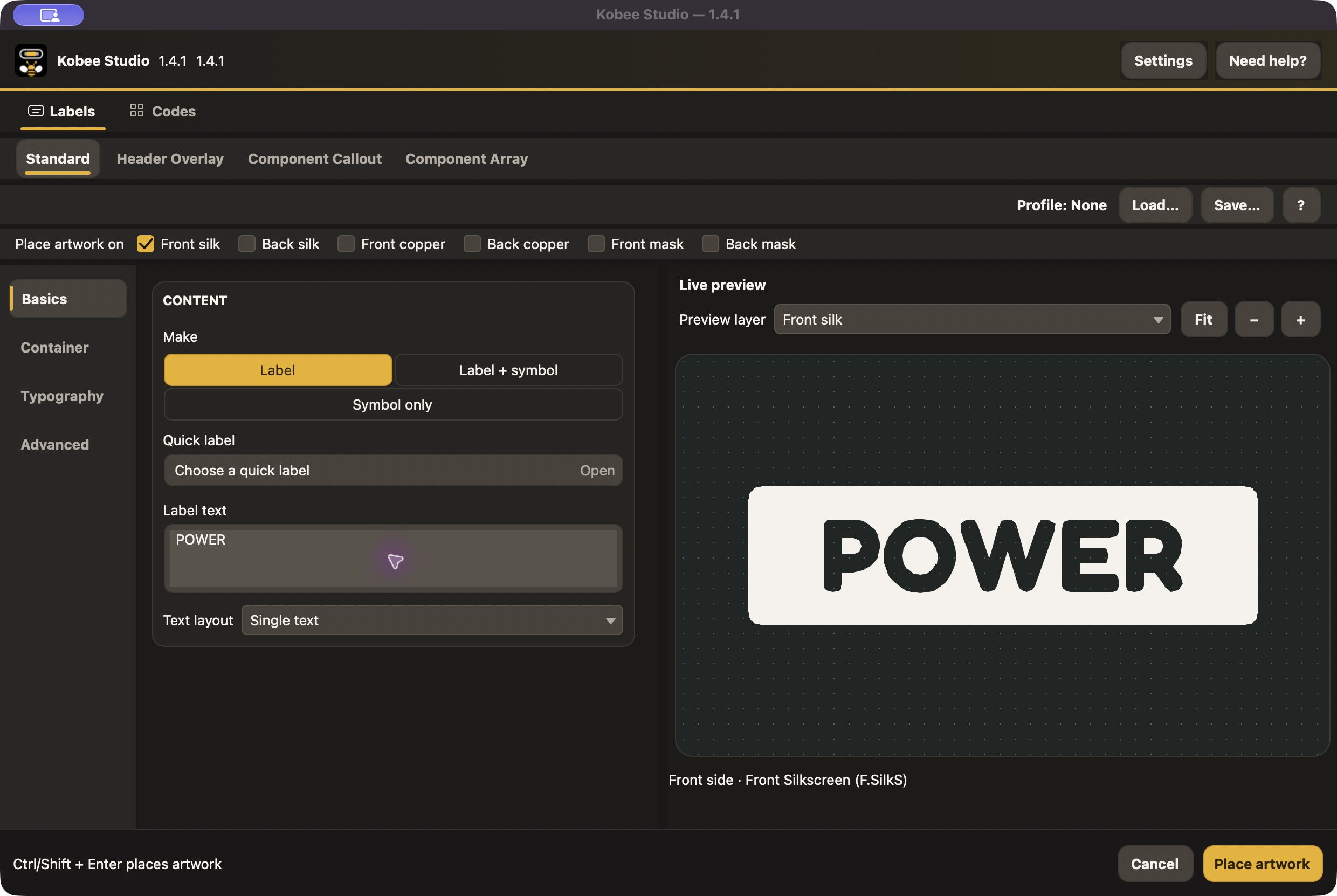
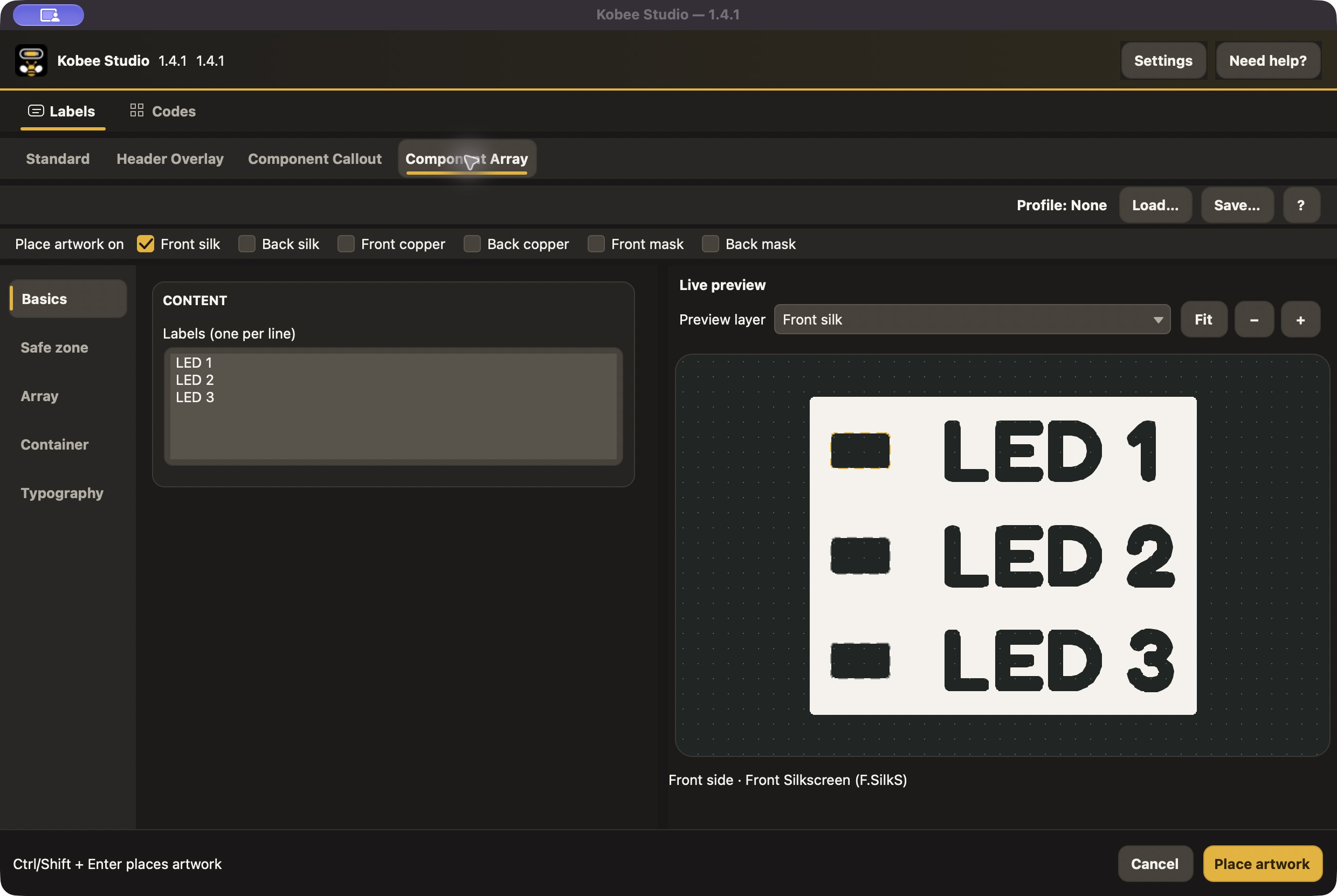
Design it before you place itA real 1.4.1 editor capture: adjust content, containers and physical typography while watching the PCB-vector preview.
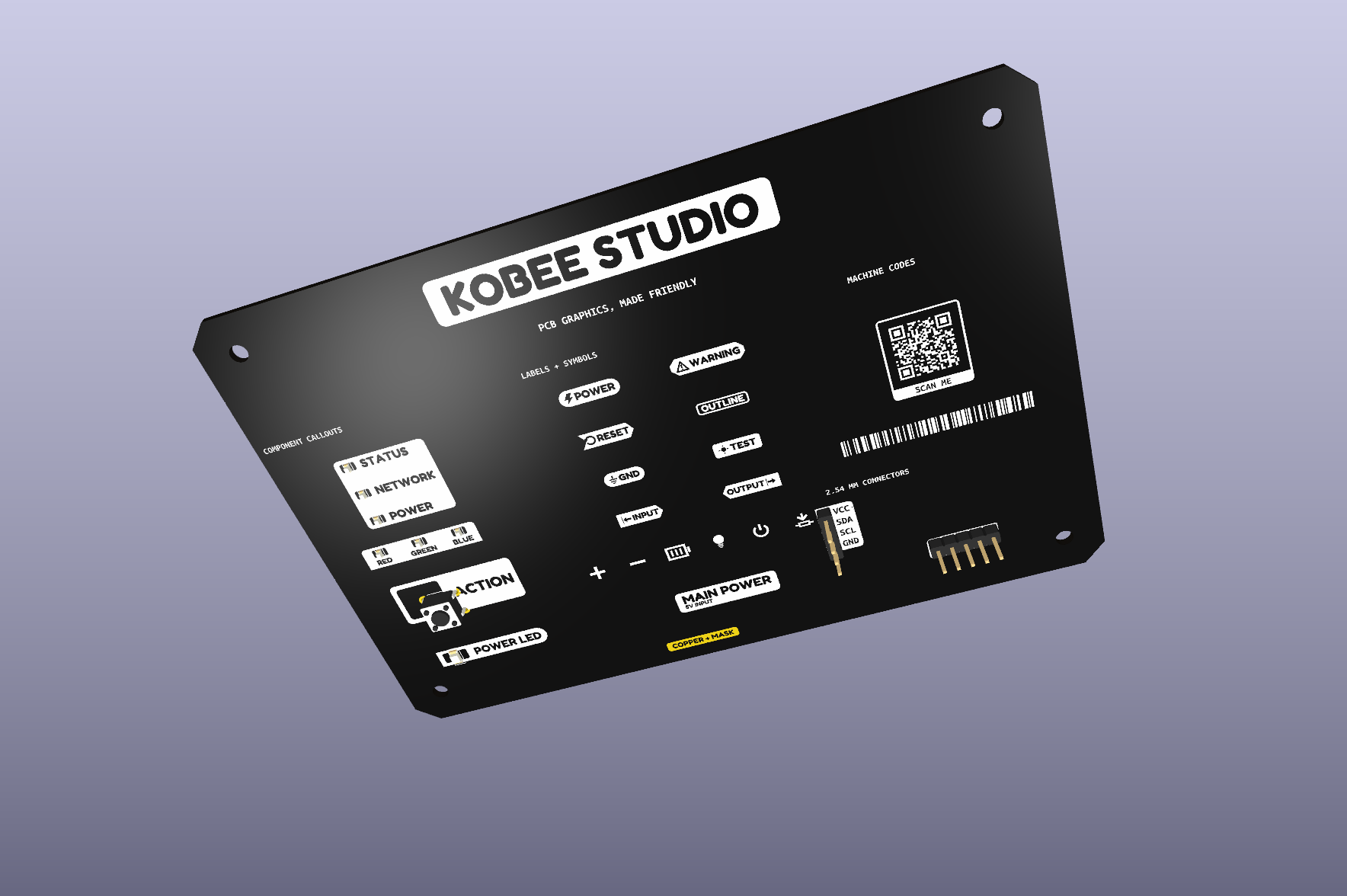
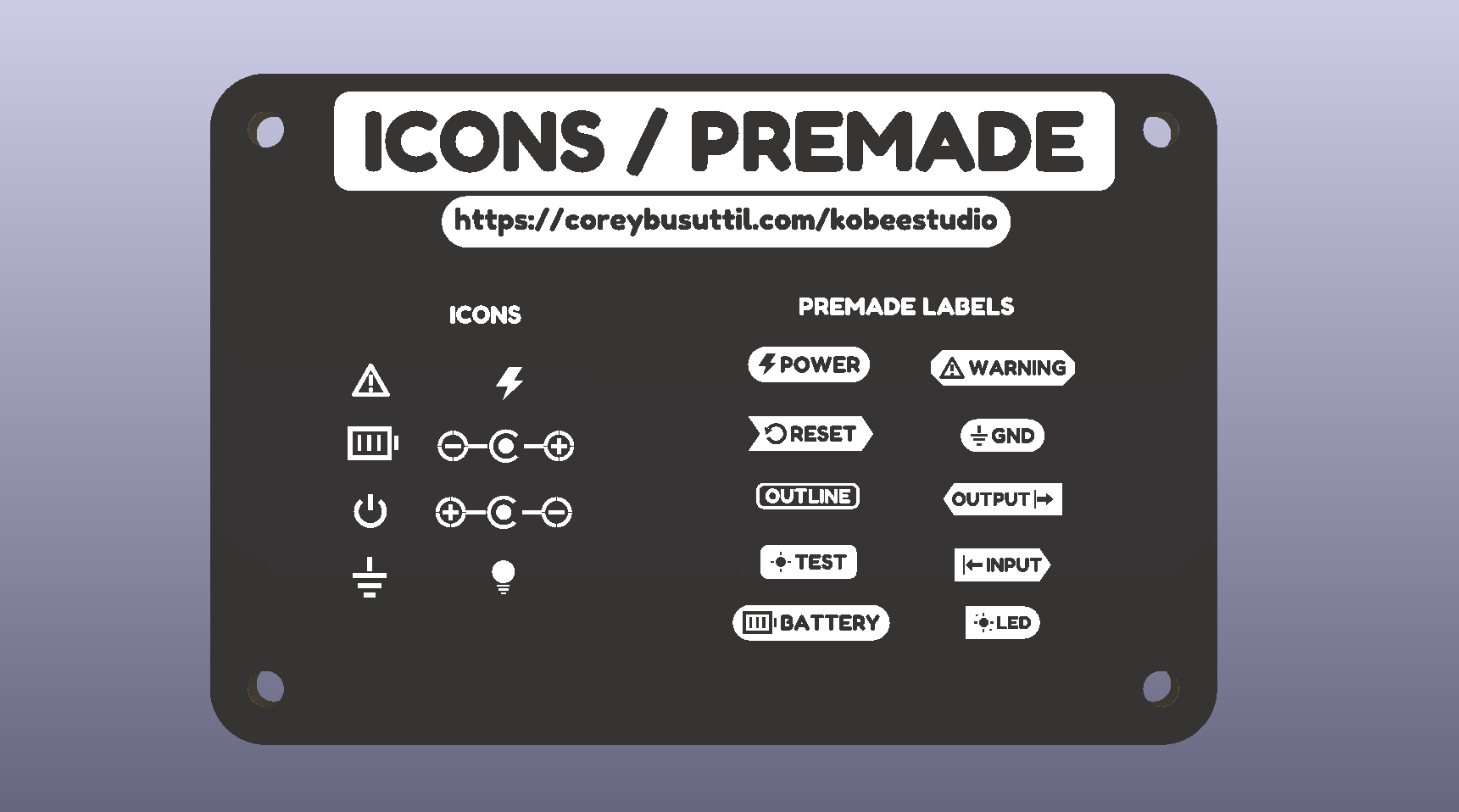
See the result on a boardA KiCad render of the editable example board, with labels, symbols, callouts and machine-readable artwork.
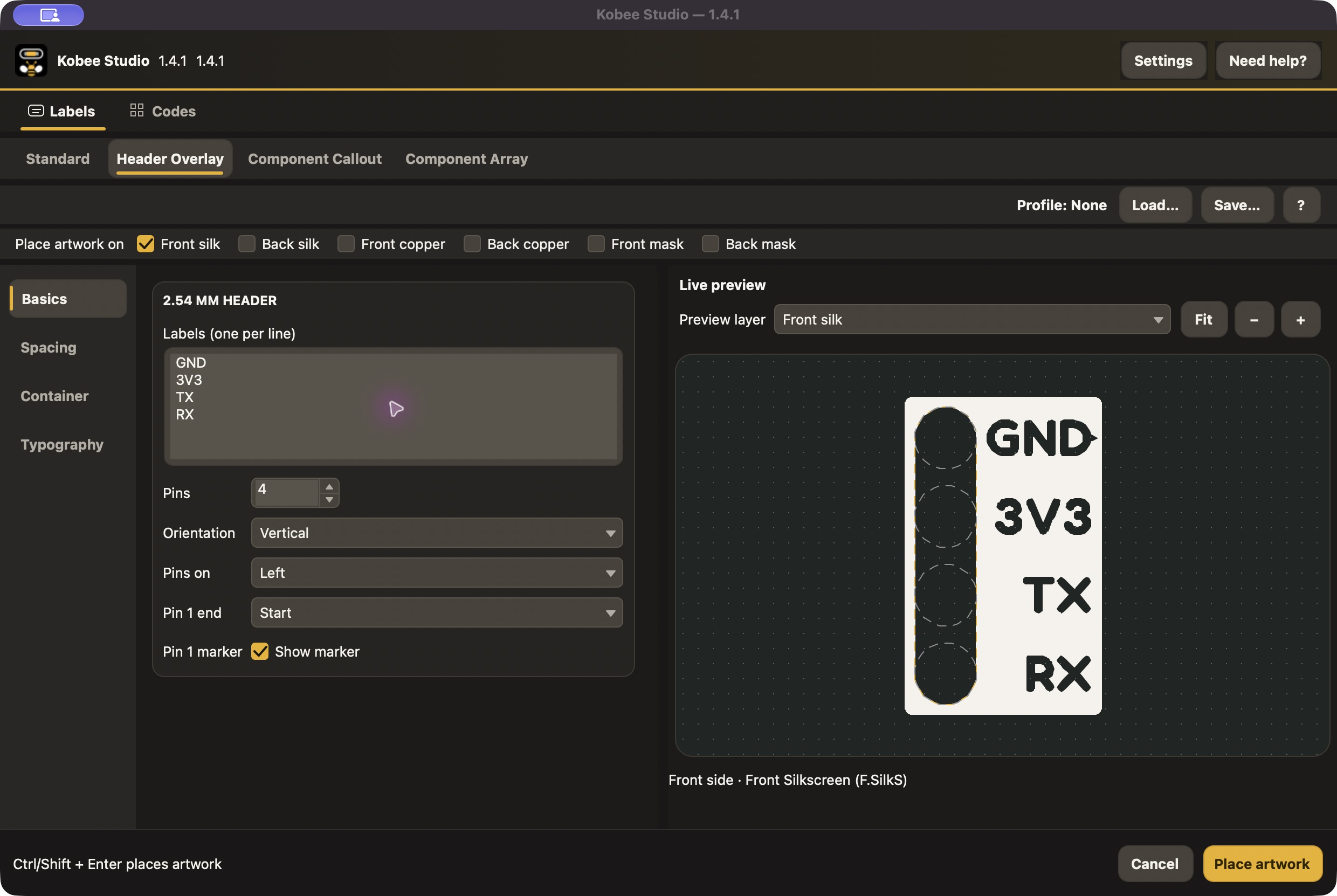
Give every pin a readable nameBuild single-row 2.54 mm header legends with explicit label order, pin-1 orientation and plug clearances.
Leave room for the hardwareFrame LEDs, switches and custom component envelopes while keeping the electrical footprint separate.
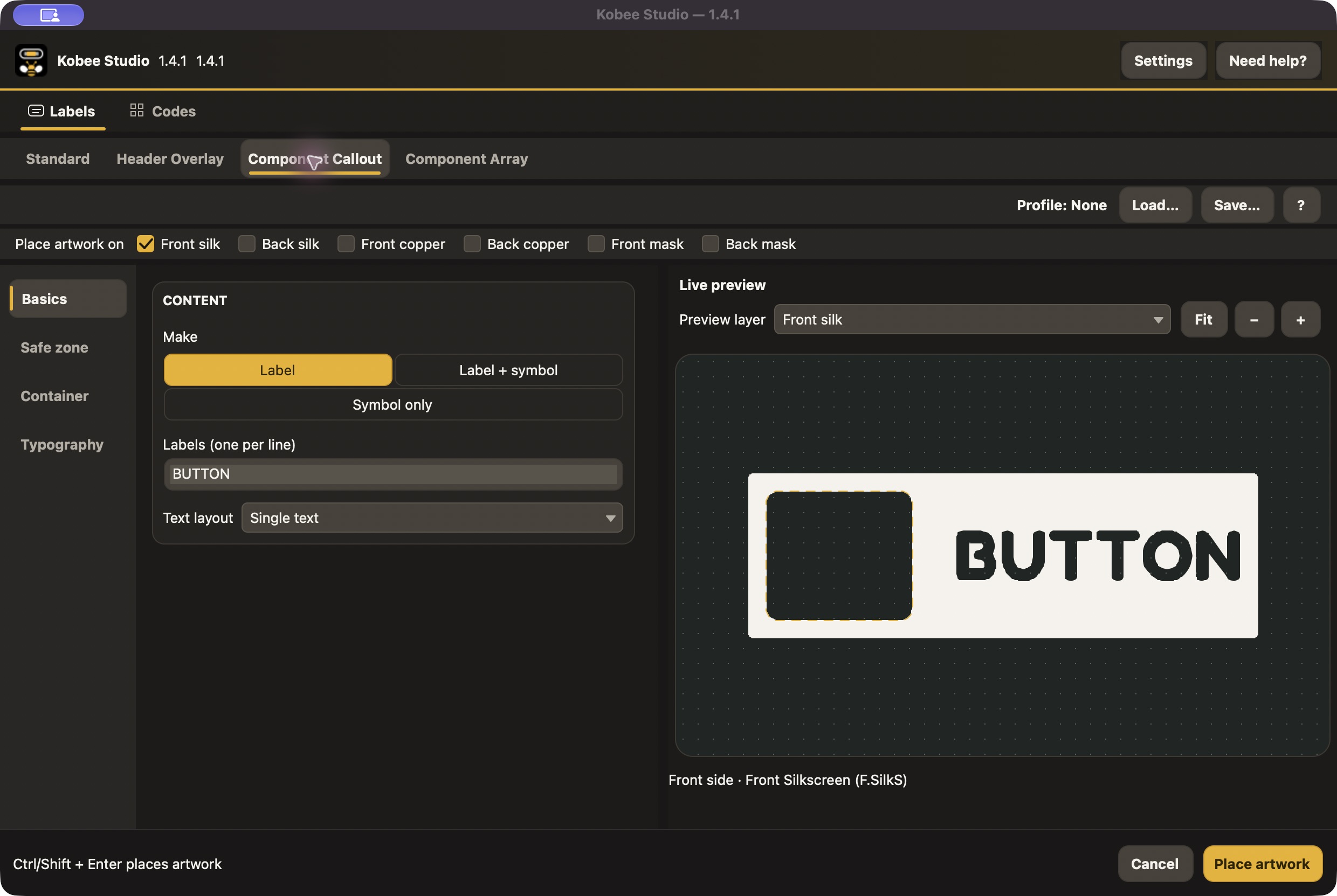
Keep repeated parts consistentBuild a row or column of component callouts with centre spacing and one label per part.
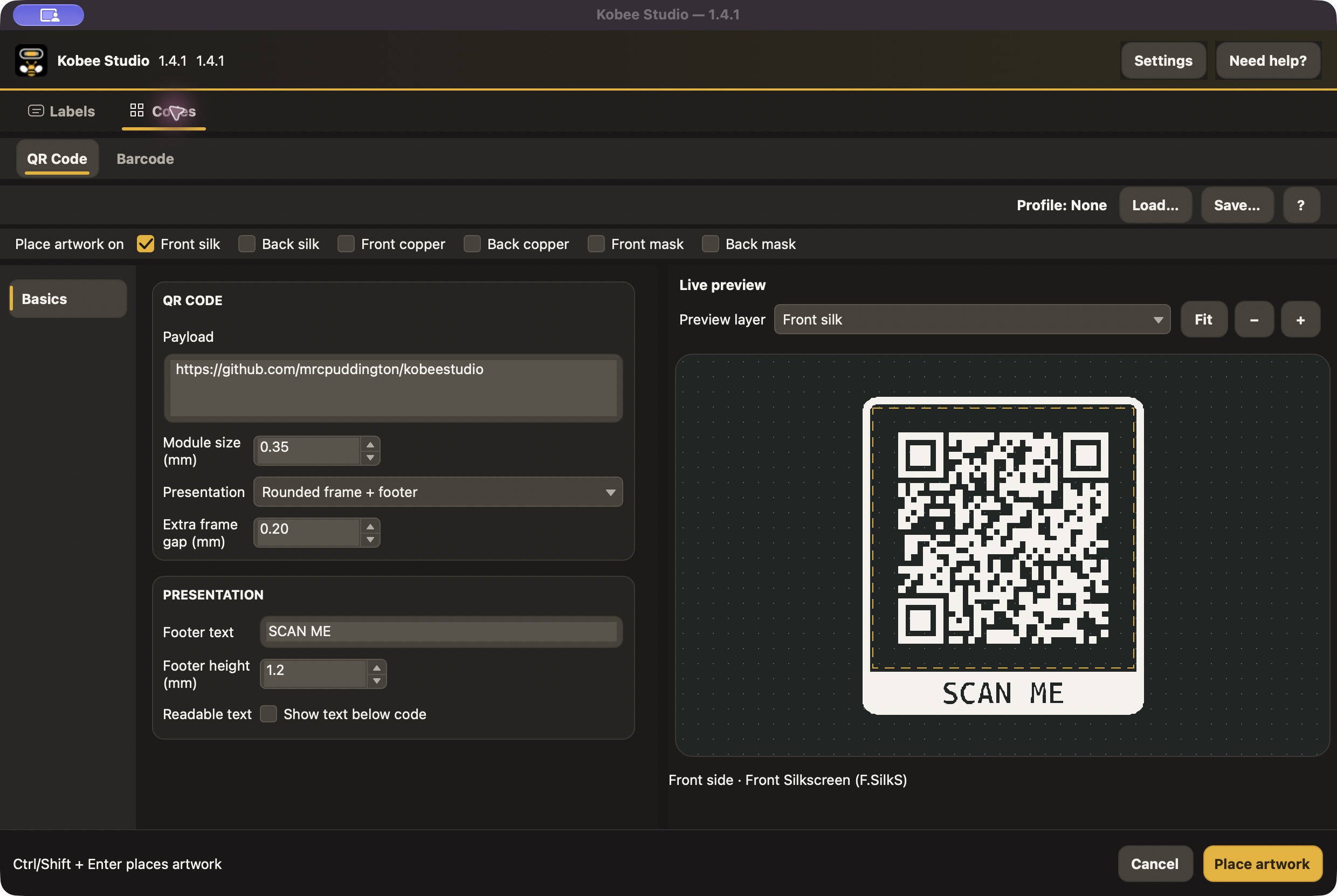
Put useful information on the PCBGenerate a QR link or Code 128 identifier, with physical sizing and an optional independent readable line.
Build your board's visual languageSearch bundled symbols, upload compatible custom SVGs and keep reusable quick labels and profiles.
Why Kobee Studio
Built for real boards
Create practical labels, pin names and markings without treating a text editor like a graphics tool.
Editable in KiCad
The output is ordinary KiCad footprint geometry, so you can keep refining it with the rest of the board.
Open source
Kobee Studio is developed in the open and welcomes bug reports, ideas and contributions.
Feature Breakdown
Labels and symbols
Filled and outline labels with flexible padding, borders, end styles and optional underlines
Searchable quick labels and standalone PCB-safe symbols
Title and subtitle layouts for clearer hierarchy
Custom SVG symbols, variants, quick labels and saved profiles
Board callouts
Single-row 2.54 mm header overlays with editable clearances
Component callouts for passives, LEDs, switches and custom envelopes
Vertical and horizontal component arrays for repeated parts
Artwork and machine codes
Front and bottom silk, copper and solder-mask artwork
QR codes with rounded frames, knockout footers and optional editable text below
Compact Code 128 barcodes with sensible size limits
Have Questions? We’re here to help
What is Kobee Studio?
A quick overview and the basics.
Features
What you can do and how it works.
Help & FAQ
Support, troubleshooting, and common questions.
What is Kobee Studio?
Kobee Studio is an open-source KiCad plugin for creating editable PCB artwork. It is useful for labels, symbols, connector overlays, component callouts, QR codes and barcodes.
Does Kobee Studio replace my footprints?
No. It creates separate editable artwork footprints, so the electrical footprint underneath stays untouched.
Which KiCad layers can it use?
Use front or back silkscreen, copper and solder-mask targets. The layer checkboxes select generated output; Preview layer selects the view. Check copper clearances, mask openings and final Gerbers before fabrication.
Which platforms are supported?
Stable 1.4.1 uses KiCad 10's supported IPC API and is tested on macOS and Windows. Linux uses the same package but still needs full UI and artwork validation.
Where can I report a problem or suggest an idea?
Start in the Kobee Studio docs on this site for installation, tutorials and troubleshooting. For a reproducible bug, idea or contribution, use the GitHub repository.
How do I install it?
Add the stable Kobee Studio repository in KiCad’s Plugin and Content Manager, refresh the catalogue and install 1.4.1. A release PCM ZIP is available for manual installation. The manual walks through both routes and first launch.
Can I edit what Kobee Studio creates?
Yes. Kobee Studio creates ordinary KiCad footprint geometry. It also saves its settings with the artwork, so selecting one Kobee Studio item and reopening the tool lets you refine it later.
Can I use it for more than silkscreen?
Yes. Stable 1.4.1 can target front/back silkscreen, copper and solder mask, including multiple selected layers. Copper is conductive material and mask artwork defines openings, so inspect the manufactured layer effect deliberately.
Are QR codes and barcodes suitable for real boards?
The tools include payload checks and practical size limits to help keep marks readable. Final results still depend on the board size, layer, finish and manufacturing process, so use the preview and your fabricator’s limits as the final guide.
Can I use a custom icon or artwork?
Yes. Stable 1.4.1 supports custom SVG symbols and variants in personal or project libraries, using a strict filled-geometry SVG profile. The development branch adds broader import, standalone graphics and PNG tracing; those are documented separately.
PCB labels, symbols and artwork. Made inside KiCad.
Create editable PCB labels, custom SVG symbols, connector legends, component callouts, QR codes and barcodes without leaving KiCad. Free and open source.
Start with a short label, choose its physical size and container, and watch the live vector preview. Select the output layers and place the artwork in PCB Editor. Select the finished Kobee footprint and reopen the tool whenever the text, style or connector changes.
Your artwork stays ordinary editable KiCad geometry. Standard labels, header overlays and component callouts are separate from the electrical footprints underneath them.
The development branch expands into fonts, imported graphics and PNG tracing, flexible connector pitches, styled designators, variable templates and Project Data. The development manual explains those workflows and their validation status. They are separate from the stable 1.4.1 download.